
Download GPU-Z – GPU information, video card specs, graphics card details
Overview
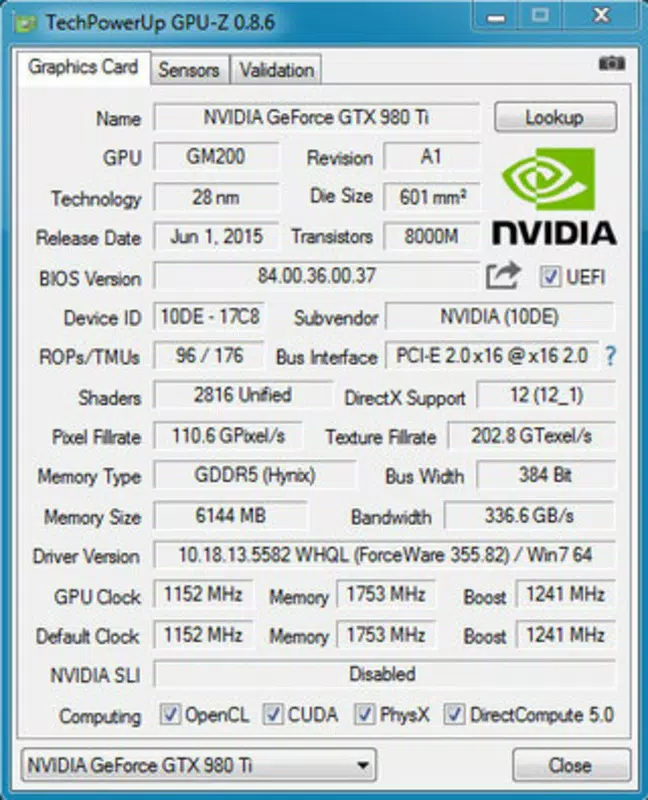
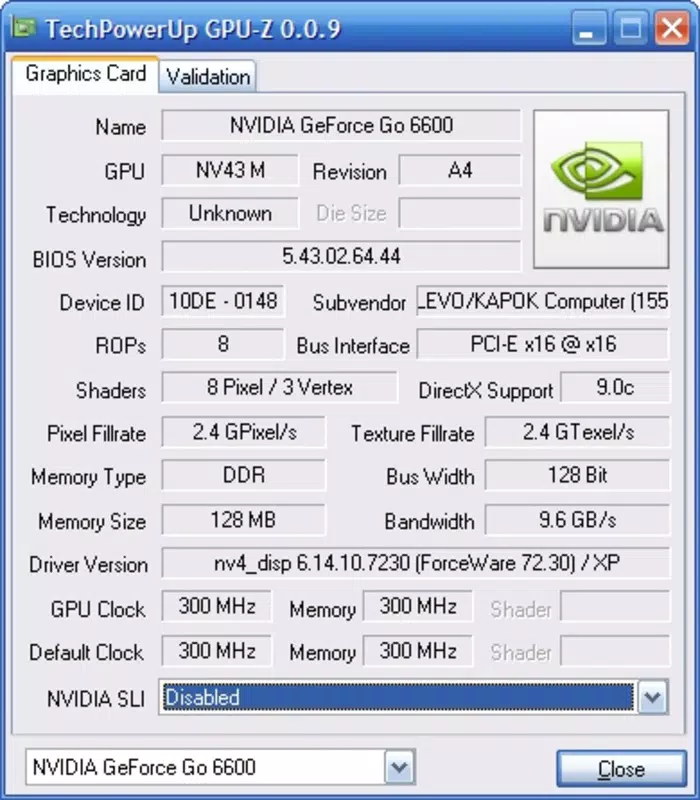
GPU-Z is a lightweight utility designed to deliver accurate and real-time information about a system's graphics processing unit (GPU) and video card. Tailored for users with technical knowledge, the app serves as a streamlined diagnostic tool that provides essential hardware details without unnecessary complexity. Its primary purpose is to offer immediate access to core specifications such as GPU model, BIOS version, memory type and size, core clock speeds, shader count, and memory bandwidth. These insights are invaluable for users engaged in system upgrades, troubleshooting hardware issues, or verifying the authenticity of a graphics card.
The application is particularly useful for PC enthusiasts, hardware reviewers, overclockers, and IT professionals who require quick access to detailed GPU specifications. While not intended for casual users, GPU-Z fills a critical niche in the system diagnostics ecosystem by offering a focused, no-frills approach to hardware monitoring. The developer, TechPowerUp, is known for producing reliable technical tools, reinforcing the app’s credibility and consistency in delivering accurate data.
Real-world use cases include validating GPU performance after a driver update, checking for discrepancies between advertised and actual hardware specs, or preparing for a hardware upgrade. The app’s minimal footprint and instant startup make it ideal for on-the-fly diagnostics. Despite its simplicity, GPU-Z plays a significant role in maintaining system transparency and supporting informed decision-making in PC hardware management.
Key Features & Functionality
- Streamlined Presentation – GPU-Z uses a tabbed interface to organize information clearly, allowing users to navigate between core specifications, memory details, and sensor readings with ease. The layout prioritizes readability, ensuring that even complex data is accessible at a glance.
- Flexible Installation Options – Users can run GPU-Z directly from the executable without installing it, or choose a full installation for Start menu integration. This flexibility supports both temporary diagnostics and long-term use.
- Comprehensive GPU Information – The app retrieves detailed hardware data including GPU die size, transistor count, manufacturing process, and current clock speeds. Memory-specific metrics such as type (GDDR5, GDDR6), size, bandwidth, and configuration are also displayed.
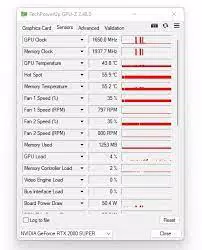
- Real-Time Monitoring – GPU-Z continuously updates sensor readings like temperature, core and memory clocks, and fan speed, providing a live view of GPU performance under load.
- BIOS Version Tracking – The app displays the current BIOS version, helping users verify whether their GPU is running the latest firmware for improved stability or performance.
For example, a system builder can use GPU-Z to confirm that a newly installed graphics card matches the expected specifications before proceeding with a driver installation. Similarly, an overclocker can monitor core and memory clock fluctuations during stress tests to assess stability. The app’s ability to deliver precise data without resource-heavy processes makes it a trusted companion for technical workflows.
Interface, UX & Performance
GPU-Z features a clean, minimalist interface that emphasizes functionality over visual flair. The layout is structured with clearly labeled tabs, making navigation intuitive for users familiar with GPU terminology. Information is presented in a concise, text-based format, minimizing distractions and ensuring rapid data access. The design prioritizes efficiency, allowing users to locate specific metrics with minimal effort.
Navigation is straightforward, relying on a tabbed system that organizes data into logical categories such as GPU, Memory, and Sensors. There are no complex menus or layered workflows, which contributes to a smooth user experience. The app launches quickly and consumes minimal system resources, ensuring it remains responsive even on older or low-end systems.
Although the developer did not list formal performance metrics, the app’s lightweight nature—just 3.4 MB in size—suggests efficient operation across a wide range of Windows devices. Responsiveness is consistent, with updates to sensor data occurring in real time. Stability is maintained through a lightweight architecture that avoids background processes or memory leaks. Users can expect reliable performance during both short diagnostics and extended monitoring sessions.
Platform Compatibility & Technical Requirements
GPU-Z is designed exclusively for the Windows platform. It is compatible with modern Windows operating systems, though specific version requirements were not listed. The app has a file size of 3.4 MB, indicating a highly optimized build with minimal overhead.
The developer did not specify minimum OS requirements, but given the app’s lightweight nature and long-standing presence in the Windows ecosystem, it is likely compatible with Windows 7 and later versions. The absence of installation dependencies suggests broad compatibility across different hardware configurations. No additional permissions or system-level access are required beyond standard user privileges.
Pros and Cons
- Lightweight and fast-loading with minimal system impact
- Provides accurate, real-time GPU and video card specifications
- Flexible installation options—run without install or full setup
- Designed for technical users seeking detailed hardware insights
- Free to download and use with no in-app purchases
- Not suitable for non-technical users due to advanced terminology
- No built-in monitoring history or data logging
- Only available for Windows, not mobile or macOS
- Limited visual feedback or graphical representations of data
- Does not offer driver updates or firmware flashing capabilities
FAQ
Is GPU-Z safe to download and use?
Yes, GPU-Z is a trusted utility developed by TechPowerUp. It is free from malware and does not require administrator privileges to run. The app operates within standard user permissions and does not modify system files.
Can I use GPU-Z on mobile devices?
GPU-Z is currently only available for Windows. There is no official mobile version for Android or iOS. Users seeking similar functionality on smartphones should explore alternative tools designed for mobile platforms.
Does GPU-Z require installation?
No, GPU-Z can be run directly from the executable file without installation. Users also have the option to install it for Start menu access, depending on their preference.
What kind of information does GPU-Z display?
GPU-Z displays detailed GPU specifications including model name, BIOS version, memory type and size, core and memory clock speeds, temperature, fan speed, shader count, die size, transistor count, and manufacturing process.
Is GPU-Z updated regularly?
Yes, the developer, TechPowerUp, regularly releases updates to ensure compatibility with new GPUs and to improve accuracy. The latest version is 2.0.0, released on March 15, 2024.
Final Thoughts
GPU-Z remains a top-tier tool for anyone needing precise, real-time information about their graphics hardware. Its no-nonsense design, reliability, and comprehensive data make it indispensable for PC builders, overclockers, and IT professionals. While it lacks advanced features like data logging or visual dashboards, its focus on accuracy and simplicity is its greatest strength.
For users who value transparency and technical precision, GPU-Z delivers unmatched value in a free, lightweight package. It is especially beneficial for those managing high-performance systems or troubleshooting hardware discrepancies. Despite its narrow target audience, its impact in the Windows utility space is significant.
Download GPU-Z now


